Back to Maintenance Manager for Education Main Menu
Creating and Deleting a Work order Subcategory
Both Admin and Technician can remove the newly added subcategory under the work order category.
To create a subcategory:
-
Navigate to the
 > Manage Workorders.
 -
Click
 to add a new subcategory.
 -
Enter a subcategory name.
-
Click
 to save the subcategory and
  to cancel.
NOTE
*A subcategory is active only when its parent category is active.
*Disabling a category automatically disables its subcategories.
To Delete a work order subcategory:
-
Click X on the added subcategory to remove it.
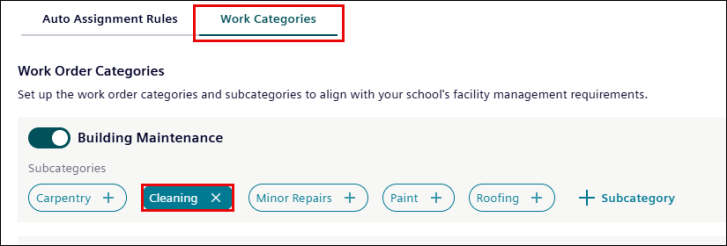
NOTE
* Default subcategories can’t be deleted.
* See Activating and Deactivating a Work order Category to enable and disable a work category.
